본 글은 한국어로 작성되었으며, 글 하단에서 영문 번역본을 확인하실 수 있습니다.
(Scroll down to the bottom for the English version of this post.)

자녀를 사칭하여 급한 돈을 요구하는 메신저 피싱은 디지털 시니어 세대의 평온한 일상을 위협하는 가장 악랄한 범죄입니다. 가족의 사랑을 담보로 한 비열한 수법에 시니어 세대가 휘둘리지 않도록, 피싱 범죄의 유형을 파악하고 이를 원천적으로 차단하는 실질적인 대응 전략을 단계별로 제시합니다.
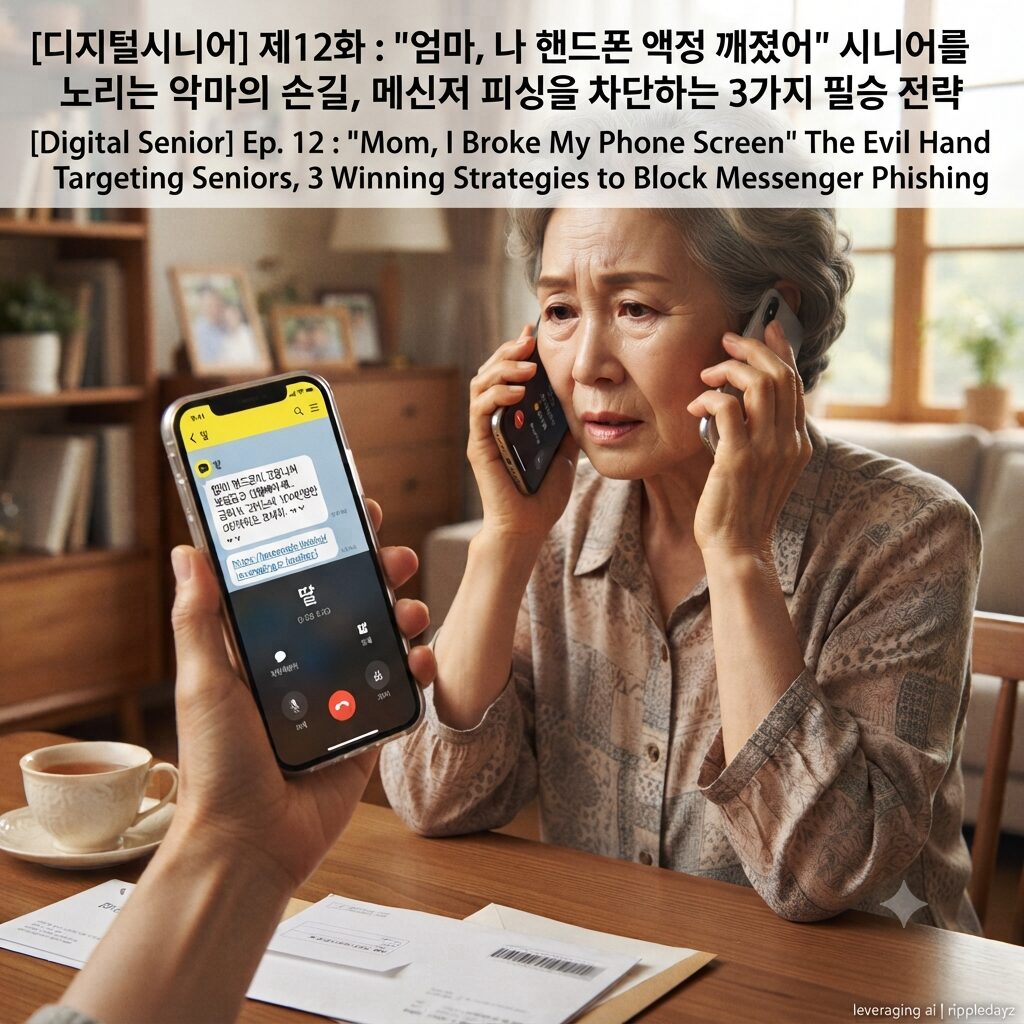
시니어를 노리는 악마의 손길, 메신저 피싱을 차단하는 3가지 필승 전략
디지털 기기에 익숙하지 않은 시니어들에게 “엄마, 나 핸드폰이 고장 나서 보험금을 신청해야 해”라는 문자는 의심보다 걱정을 먼저 유발합니다. 이러한 심리를 교묘하게 파고드는 메신저 피싱은 단순한 금전적 피해를 넘어 가족 관계에 대한 깊은 불신과 심리적 상처를 남깁니다. 피싱 범죄의 덫을 피하고 소중한 자산을 지켜내기 위한 3가지 강력한 대응 전략을 상세히 안내합니다.
- 1단계: 가족 사칭 메시지 수신 시 ‘직접 전화 통화’ 원칙 준수 메신저로 “급하게 돈이 필요하다”거나 “핸드폰을 고쳐야 한다”는 연락이 오면, 무조건 상대방의 전화번호로 직접 전화를 걸어 확인해야 합니다. 피싱범들은 대개 “핸드폰이 고장 나서 통화가 안 된다”는 핑계를 대며 대화를 메신저로만 유도하려 할 것입니다. 이때 당황하지 말고 “지금 당장 목소리를 들어야 입금할 수 있다”고 강하게 요구하십시오. 목소리를 직접 확인하는 것만으로도 대다수의 메신저 피싱은 즉시 차단할 수 있는 가장 확실하고 강력한 방어책입니다.
- 2단계: ‘출처 불분명한 링크’ 클릭 금지 및 악성 앱 설치 방지 범인들은 원격 제어 앱이나 보안 프로그램을 설치하라는 명목으로 링크(URL)를 보냅니다. 이 링크를 클릭하는 순간 스마트폰의 모든 정보가 탈취되고, 주소록에 있는 지인들에게 다시 피싱 문자가 발송되는 악순환이 시작됩니다. 절대로 문자에 포함된 링크를 누르지 말고, 만약 실수로 설치했다면 즉시 스마트폰의 비행기 모드를 켜고 전원을 끈 뒤 이동통신사에 신고하십시오. 지인이나 가족으로부터 온 문자라도 링크가 포함되어 있다면, 다시 한번 전화로 본인 확인을 거치는 습관이 중요합니다.
- 3단계: 금융 계좌 설정 및 보안 인증 강화하기 평소 사용하지 않는 해외 송금이나 고액 이체 기능을 차단하고, 금융 앱의 ‘지연 이체 서비스’를 적극적으로 활용하십시오. 지연 이체 서비스는 송금 신청 후 일정 시간이 지나야 돈이 빠져나가도록 설정하는 기능으로, 범죄에 당했더라도 자금이 인출되기 전 충분히 대응할 시간을 벌어줍니다. 또한, 은행 앱의 ‘본인 인증’ 절차를 2단계 이상으로 강화하여 타인이 함부로 계좌에 접근하지 못하도록 철저히 보호 설정하십시오.
디지털 금융 범죄를 예방하기 위한 3분 체크리스트
지금 바로 스마트폰과 금융 환경을 점검하여 안전한 디지털 생활을 준비하십시오. 다음의 세 가지 항목을 주기적으로 확인하는 것만으로도 소중한 자산을 안전하게 보호할 수 있습니다.
- 본인 확인 전화 여부: 메시지 내용이 아무리 긴급해도 전화로 목소리를 확인하기 전에는 절대 송금하지 마십시오.
- 앱 설치 유도 차단: 자녀나 지인이 ‘파일’이나 ‘링크’를 보내 앱을 설치하라고 할 때는 일단 의심하고 대면 혹은 전화로 확인하십시오.
- 보안 계좌 설정: 평소 관리하는 은행 앱에서 ‘입금 한도 제한’이나 ‘사전 등록 계좌 이체’ 기능을 활용해 보안을 강화하십시오.
ripple point
메신저 피싱은 기술의 결함이 아니라 인간의 가족애를 이용한 비열한 범죄이며, 언제나 ‘직접 통화’라는 아날로그적 확인 절차만이 디지털 사기를 차단하는 유일한 해법이다.
제11화 : “뒤에 줄 서 있으면 땀이 나요” 키오스크 공포증과 디지털 소외의 슬픈 현실
해시태그
#메신저피싱 #보이스피싱예방 #시니어금융사기 #메신저피싱예방 #노년층보이스피싱 #디지털금융범죄 #스마트폰사기 #시니어디지털 #금융사기대처법 #피싱문자 #카톡피싱 #자녀사칭사기 #디지털금융소외 #보이스피싱피해 #디지털에이징 #개인정보보호 #스미싱예방 #시니어생활안전 #모바일금융보안 #금융사기신고
English Version Available Below
Ep. 12 : “Mom, I Broke My Phone Screen” The Evil Hand Targeting Seniors, 3 Winning Strategies to Block Messenger Phishing
Messenger phishing, which demands urgent money by impersonating a child, is the most vicious crime threatening the peaceful daily life of the digital senior generation. We present practical response strategies step-by-step to understand the types of phishing crimes and block them at the source so that the senior generation is not swayed by despicable methods that take family love as collateral.
The Evil Hand Targeting Seniors, 3 Winning Strategies to Block Messenger Phishing
To seniors who are not familiar with digital devices, a message saying “Mom, my phone is broken, I need to apply for insurance money” causes worry rather than suspicion. Messenger phishing that cleverly digs into this psychology leaves deep distrust of family relationships and psychological scars beyond simple financial damage. We guide you in detail on 3 powerful response strategies to avoid the traps of phishing crimes and protect your precious assets.
- Step 1: Compliance with the principle of ‘Direct Phone Call’ when receiving messages impersonating family If you receive a message saying “I need money urgently” or “I need to fix my phone,” you must call the other party’s phone number directly to verify. Phishing criminals will usually try to induce conversations only through messengers with excuses like “My phone is broken so I can’t call.” At this time, do not panic and strongly demand, “I can deposit money only after I hear your voice right now.” Verifying the voice directly is the most certain and powerful defense measure that can immediately block most messenger phishing.
- Step 2: Prohibit clicking ‘Unknown links’ and prevent installation of malicious apps Criminals send links (URLs) under the pretext of installing remote control apps or security programs. The moment you click this link, all information on your smartphone is stolen, and a vicious cycle begins where phishing messages are sent again to acquaintances in your address book. Never click links included in messages, and if you installed it by mistake, immediately turn on airplane mode on your smartphone, turn off the power, and report it to your mobile carrier. It is important to have a habit of verifying yourself through a phone call once again if a link is included even if it is a message from an acquaintance or family.
- Step 3: Financial account settings and strengthening security authentication Block overseas remittance or large-amount transfer functions that you do not usually use, and actively utilize the ‘Delayed Transfer Service’ of financial apps. Delayed transfer service is a function that sets money to be withdrawn only after a certain period of time after applying for a transfer, buying enough time to respond even if you have been a victim of crime. Also, strengthen the ‘self-authentication’ procedure of bank apps to at least two stages and set it thoroughly so that others cannot access your account recklessly.
3-Minute Checklist to Prevent Digital Financial Crimes
Check your smartphone and financial environment right now to prepare for a safe digital life. You can safely protect your precious assets just by periodically checking the following three items.
- Verify by phone: No matter how urgent the message content is, never remit money before verifying the voice by phone.
- Block app installation induction: When a child or acquaintance sends a ‘file’ or ‘link’ and tells you to install an app, suspect it first and verify it in person or by phone.
- Set up security accounts: Enhance security by utilizing ‘Deposit limit restriction’ or ‘Pre-registered account transfer’ functions in the bank app you usually manage.
ripple point
Messenger phishing is not a defect in technology but a despicable crime using human family love, and only the analog verification procedure of ‘direct calling’ is the only solution to block digital fraud.
Ep. 11 : “I Sweat When Standing in Line Behind” The Sad Reality of Kiosk Phobia and Digital Alienation
Hashtag
#MessengerPhishing #PreventVoicePhishing #SeniorFinancialFraud #PreventMessengerPhishing #ElderlyVoicePhishing #DigitalFinancialCrime #SmartphoneFraud #SeniorDigital #FinancialFraudResponse #PhishingText #KakaoTalkPhishing #ChildImpersonationFraud #DigitalFinancialAlienation #VoicePhishingDamage #DigitalAging #PersonalInfoProtection #PreventSmishing #SeniorLifeSafety #MobileFinancialSecurity #FinancialFraudReport